

A client query rarely arrives as one neatly written question.
A Chartered Accountant may receive a tax notice in PDF, scanned annexures over email, an Excel reconciliation, previous submissions and supporting documents—all relating to the same assignment.
The time-consuming part is often not the final advice. It is getting through the documents first: finding the relevant facts, matching figures, identifying differences and understanding what information is still missing.
AI can help with this first layer of work.
Instead of opening every file separately, a CA can analyse PDFs, scanned documents, images, spreadsheets and supporting files together and ask specific questions about them.
The objective is not simply to “summarise a PDF.” It is to turn a collection of client documents into structured information that can be reviewed and used for professional work.
For a broader look at where AI fits into a CA’s day-to-day work, see VIDUR AI for Chartered Accountants.
How AI can help with client documents
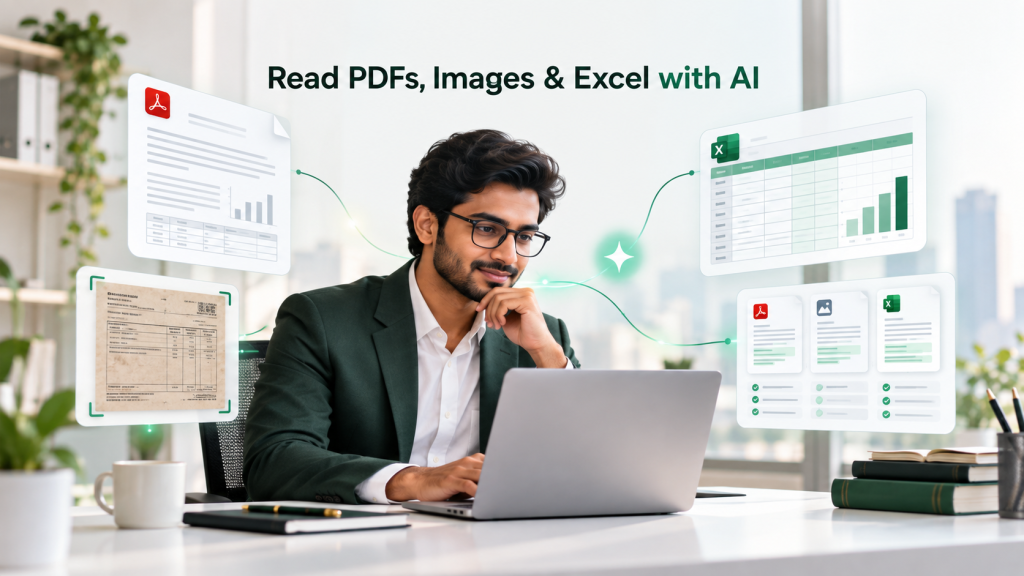
Different files require different types of review. A notice may require issue identification, while an Excel file may require reconciliation or movement analysis.
Here are some common examples:
| Document | What AI can help with |
|---|---|
| Tax notice or order | Identify issues, amounts, sections, dates and required actions |
| Scanned notice or image | Read text using OCR and flag unclear information |
| Excel workings | Analyse figures, reconciliations, tables and differences |
| Agreements | Extract clauses, obligations, dates and commercial terms |
| Financial statements | Locate figures and compare periods |
| Multiple documents | Compare information across files and identify inconsistencies |
| Court order or judgement | Extract facts, findings, chronology and action points |
The important part is the question you ask.
“Summarise this document” may give you a general overview.
But:
“Identify every issue raised in this notice, the amount involved, the section referred to and the information we need from the client.”
is much closer to the actual work a professional needs to perform.
3 practical ways CAs can use AI with client files
1. Review a tax notice with supporting documents
Suppose a client sends:
- a GST notice;
- scanned annexures;
- an Excel reconciliation;
- supporting invoices; and
- the client’s previous response.
Normally, the CA has to move between each document and manually connect the information.
Instead, the files can be reviewed together.
A useful prompt could be:
“Review the uploaded GST notice, reconciliation and supporting documents. Prepare a table showing each issue raised in the notice, the amount involved, corresponding information available in the workings, any apparent mismatch and the additional information required from the client.”
This gives the CA a structured starting point.
The next step is still professional work: examining the applicable provisions, departmental position, case law and client facts before deciding how the issue should be addressed.
For that stage, AI can also support tax research for Chartered Accountants.
The same approach can be used for Income Tax notices and assessment orders.
2. Analyse Excel workings
Client queries often depend on information sitting inside Excel rather than a PDF.
This may include:
- reconciliations;
- ledgers;
- transaction summaries;
- calculations;
- vendor-wise data; or
- year-on-year comparisons.
For example:
“Review this expense ledger and prepare a vendor-wise table showing total payments, material transactions and unusual month-on-month movements. Do not draw a tax conclusion; identify items requiring further review.”
Here, AI is not replacing accounting or tax analysis.
It is helping organise the data so the professional can focus on the items that actually require attention.
3. Compare information across multiple documents
Some questions cannot be answered from one file.
For example, a CA may receive:
- an original agreement;
- an amended agreement;
- an invoice; and
- correspondence explaining the commercial arrangement.
The question may be:
“Compare the original and amended agreements and identify changes relating to consideration, payment terms, termination, responsibilities and effective date. Then check whether the invoice appears consistent with the amended commercial terms.”
This is where working with multiple files together becomes more useful than treating AI as a simple PDF reader.
How to analyse client documents in VIDUR
VIDUR allows professionals to work with documents alongside tax and corporate research and drafting.
The workflow can be kept simple.
Step 1 — Upload the relevant files
Upload the documents connected with the assignment, such as:
- PDFs;
- scanned documents;
- images;
- Excel files; and
- PowerPoint files.
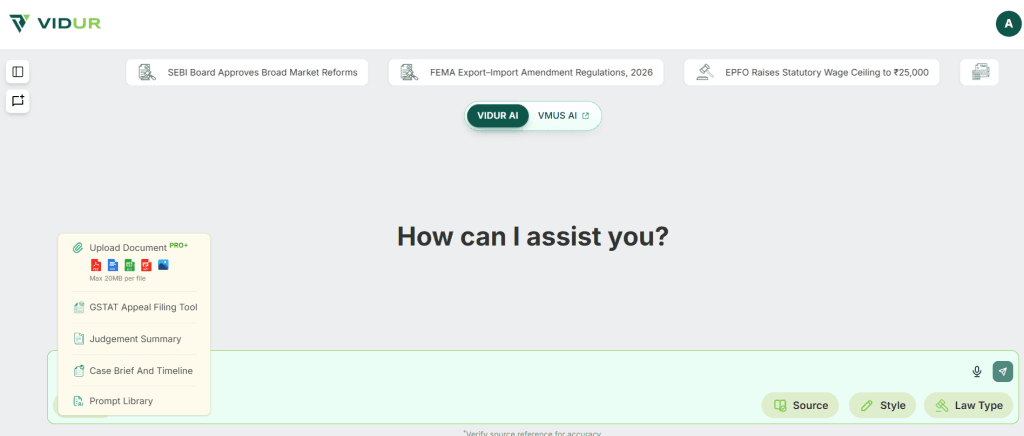
OCR can be used to process text contained in scanned documents and images.
This is particularly useful when an assignment involves a notice, annexures, workings, invoices and previous correspondence rather than one clean document.
Step 2 — Ask the actual professional question
Do not stop at:
“Summarise these files.”
Tell the system what you are trying to achieve.
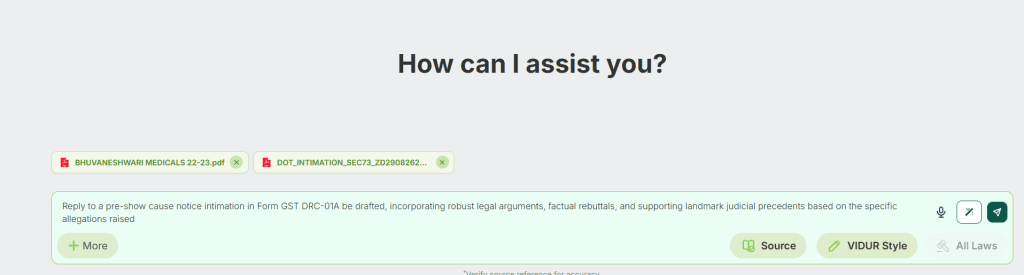
For example:
“Prepare a table containing the issue raised, amount involved, section referred to, department’s allegation, information available from the uploaded documents and information still required from the client.”
Or:
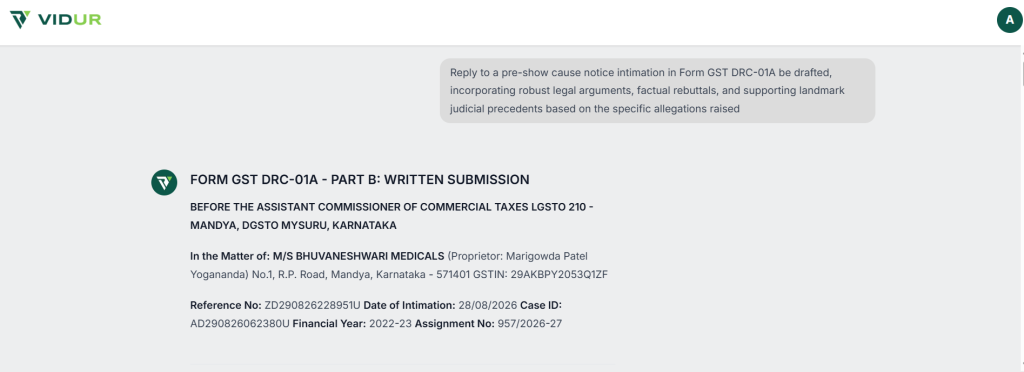
“Draft a reply to the pre-show cause notice intimation in Form GST DRC-01A, incorporating legal arguments, factual rebuttals and relevant judicial precedents based on the specific allegations raised.”
Once the relevant facts have been organised, the same material can become the starting point for drafting replies and professional submissions using AI.
Step 3 — Ask follow-up questions
Professional assignments are rarely resolved through one prompt.
Once the first output is available, narrow the analysis.
For example:
“Which uploaded document supports this amount?”
“Explain issue number 3 in greater detail.”
“Create a chronology for this issue.”
“What information is still missing?”
“Prepare questions that we should send to the client.”
Follow-up questions often make the output much more useful than trying to solve everything through one long prompt.
Step 4 — Review the result against the source documents
AI can speed up reading, extraction and organisation.
The final review should still be done against the original documents, particularly where the output will be used in a filing, opinion, representation or client deliverable.
What should you verify before using the output?
The more important the assignment, the more important the verification.
A few checks should remain standard.
Check numbers and OCR-sensitive information
Scanned files can contain unclear characters.
Always verify information such as:
- PAN;
- GSTIN;
- assessment year;
- financial year;
- dates;
- section numbers;
- invoice numbers;
- monetary amounts; and
- names of parties.
A single incorrectly read digit can change the meaning of the output.
Check the Excel data
If the analysis depends on a spreadsheet, verify:
- whether all relevant sheets were considered;
- hidden or filtered rows;
- formulas versus displayed values;
- units such as rupees, thousands or lakhs;
- negative figures; and
- totals and subtotals.
Do not allow missing facts to become assumptions
A useful instruction is:
“If a fact cannot be established from the uploaded documents, mark it as ‘Not available’ instead of assuming it.”
This is especially important in tax and legal work, where a plausible assumption can still be factually wrong.
Keep professional judgment with the CA
AI can help with:
- first-level review;
- locating information;
- summarising lengthy records;
- comparing documents;
- preparing chronologies;
- identifying mismatches; and
- creating a first-draft issue list.
Manual professional review remains important where the assignment involves legal interpretation, conflicting facts, material financial figures, certification, statutory filing, representation before an authority or advice on which a client will rely.
The useful division of work is simple:
AI for faster document processing. CA for verification, interpretation and professional judgment.
Client data and privacy
CAs routinely handle sensitive information such as PAN, GSTIN, bank details, financial statements, invoices, payroll data, agreements and tax records.
Before uploading client documents to any AI platform, firms should consider their professional confidentiality obligations, internal information-security policies and applicable data-protection requirements.
Only information relevant to the assignment should be uploaded. Where appropriate, non-essential personal or sensitive information can be masked or redacted.
India’s Digital Personal Data Protection Act, 2023 also makes data handling and appropriate safeguards an important consideration when professional firms use digital tools.
AI does not dilute the CA’s responsibility towards client confidentiality. Important facts, identifiers, numbers and conclusions should continue to be independently checked before they are used professionally.
The real value is not just reading faster
The benefit of AI is not simply that a CA can get through a 100-page PDF faster.
It is being able to turn a pile of client files into clear professional questions:
- What are the actual issues?
- Which amounts are disputed?
- Which document supports a figure?
- Where do two documents conflict?
- What information is missing?
- What should we ask the client next?
That reduces the time spent finding information and gives the professional more time for analysis and judgment.
If your next assignment involves a notice, scanned supporting documents, Excel workings or multiple client files, you can explore how VIDUR works for Chartered Accountants.
Use AI to organise the documents. Apply professional judgment to the answer.